
Typing – A Complete Guideline to Learn
infixx
Author
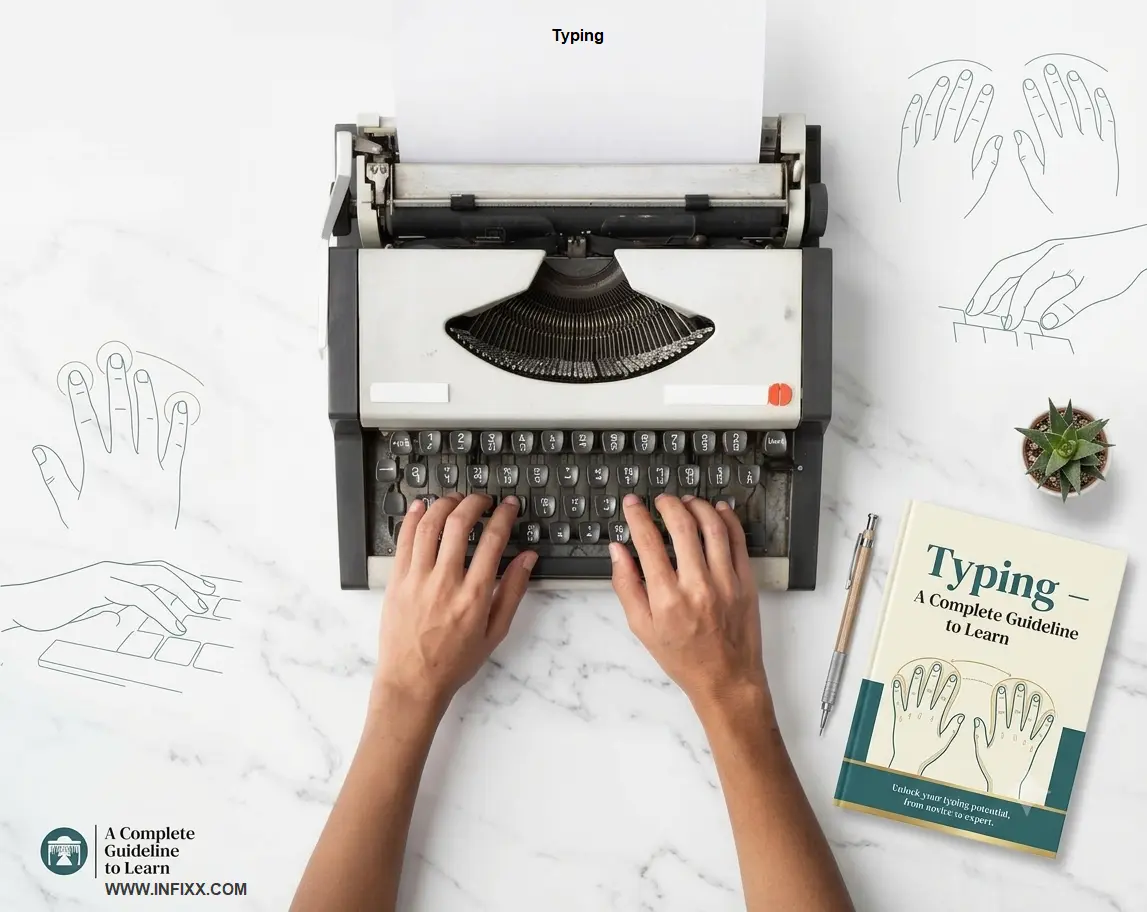
Typing
Typing is an inherent desire or effort that you use to express your thoughts, ideas, or information in written form. It's not just pressing keys, but an important medium to convey your inner thoughts to others.
Exactly! Typing is a great and fast way to give shape to our inner thoughts in the digital medium. When you type something on a keyboard, your inner thoughts come to life.
What is Manual Typing and why does it still work?
Manual Typing is the process of entering data or text into a device such as a computer, typewriter, or smart phone, using a physical keyboard by human hand.
It requires the user to press each key individually and type data into a device software or typewriter by seeing physical documents or thinking from mind.
Manual typing refers to the human process of reading the source material, whether handwritten notes, printed forms, scanned PDFs or an image and re-typing the material into a blank digital document. Each word is read, interpreted and typed by a real person.
OCR (Optical Character Recognition) is a quick option, but not for accuracy. Poor performance with old characters, poor scans, handwriting, tables and complex layouts. A human typist picks up the slack not covered by software. It's the main difference.
Whether it's healthcare clinics entering patient records, or law firms digitizing case notes, manual typing is a crucial component of business operations for various industries. Demand is genuine, persistent and rising.
How Does Manual Typing Work?
Step 1: Select a device (Computer, Typewriter, Mobile or Tab) which has a keyboard for typing.
Step 2: If you want to type or re-type a document then set up the physical documents or papers inside the device to see the texts and formats properly.
Step 3: Or, if you want to type something that you are thinking, then there is no need to set up the papers or documents.
Step 4: Open Microsoft word or other software for typing and learn what purpose each section serves.
Step 5: Begin typing the texts or words you wish to type.
Step 6: You can choose and change font, style, color, layout, sizes, formatting etc. of the texts.
Who Uses Manual Typing Services?
- Healthcare providers needing clean patient records from paper forms
- The Law Firms require digitization of Contracts, Case Files and Court paperwork.
- Authors and publishers converting manuscript drafts
- Real estate agencies entering property data from printed listings
- E-commerce businesses uploading product details from supplier sheets
- Researchers transcribing interview notes or survey responses
- Accounting firms entering financial data from printed statements
What is OCR?
OCR (Optical Character Recognition) is an automate tool or software to extract text or characters from one file to another file. It’s an easy process to extract text in a short time but it can make mistakes. The mistakes are I=1, O=0, Q=0, S=5, Z=2 etc. and mismatch formatting. OCR is not a professional way to extract text from a non-editable file to editable file. It will lose the level.
How Does OCR Work? Step-by-Step Process
Step 1: Install and open OCR tools or browse online tools on your computer.
Step 2: Click ‘file select’ and select the non-editable file from the option.
Step 3: Click to extract or convert.
Step 4: After extracting or converting, download the file and open it to check.
Manual Typing vs. OCR: Which One Should You Use?
This is the most common question clients ask. Here is a clear, honest comparison.
| Feature | Manual Typing | OCR Software |
| Accuracy on clean documents | 99%+ | 20–50% |
| Accuracy on handwritten text | 95–98% | 50–70% |
| Accuracy on poor scan quality | 90–97% | 30–70% |
| Handles complex tables | Yes | Often fails |
| Understands context | Yes | No |
| Speed (per page) | Slower (Depend on typist) | Very fast |
| Cost | Higher | Lower |
| Best for | Complex/damaged docs | Clean, standard text |
The verdict: use OCR for bulk, clean documents with standard formatting. Use manual typing when accuracy matters most or when your documents are handwritten, complex, or damaged.
How to eliminate manual typing for certain documents?
Not all documents can be Irrevocable Trusts. Not every document can be an Irrevocable Trust. There are some which are ideal for OCR. Others are in need of the human element. These are the most widely used and manual typing is required for these types.
1. Handwritten Documents
Handwriting varies enormously. The OCR option doesn't work with old-fashioned cursive handwriting, with long or inconsistent letter formation or if the handwriting is not standard. A human reads context, rather than pixels. The classical manual typing assignments are handwritten notes, letters, diaries, and different kinds of forms.
2. Old or Scanned Documents
Yellow or soiled/repaired pages, faded ink, water damage and page edges that are torn create a problem for OCR accuracy. There is still scope for the human typist to add and edit info, if the information is broken up and context can be used to fill gaps in information. Manual typing always main method of working with archival projects and historical records.
3. Use Complex Tables and Forms.
To create detailed tables and forms. These tables are hard to decipher by OCR software because they have multiple columns and contain nested forms and checked boxes. The data is scrambled or goes to the wrong cells. In manual typing, exactly that is preserved: structure, since it is built from scratch by the typist, who formats it accordingly.
4. Multi-Language Documents
Documents mixing two or more languages say, English and Arabic, or Spanish and Chinese break most OCR tools. These are simple to run by human operators fluent in both languages.
5. Business Cards and Contact Lists
Be sure to bring business cards and contact lists. Several hundreds of business cards? A typist puts names, emails, phone numbers and companies into the blank spreadsheet or CRM. This sort of short, discrete text is frequently jumbled in OCR.
6. Medical and Legal Records
Documenting health-related care and legal matters. Keeping medical and legal records, all these documents will be 100% accurate. A poorly figured dose or clause may be quite disastrous. Manual typing gives you the certainty that a human trained professional verified each and every word.
How Fast Is Manual Typing? What Speed and Accuracy Should You Expect?
Speed and accuracy are the two numbers that matter most when you hire a manual typing service. Let us set realistic expectations.
What is the Speed of Typing Words Per Minute (WPM)
A professional typist can type 60-80 words per minute on average. The speed can increase per minute 90-120 words/minutes if a typist typing fast. Data entry workers can enter data on standardized forms at rates of 10,000 to 12,000 keystrokes per hour. A skilled typist will normally need 3-5 minutes to write a page of normal A4 print (around 250–300 words). Having multiple and tables on forms, it could take 10 – 15 minutes.
| Document Type | Avg. Time Per Page | Expected WPM |
| Plain typed text | 3–5 minutes | 70–80 WPM |
| Handwritten notes (clear) | 6–10 minutes | 40–60 WPM |
| Complex forms/tables | 10–20 minutes | 25–40 WPM |
| Old/damaged documents | 15–30 minutes | 20–35 WPM |
| Data entry (numeric) | 2–4 minutes/page | 10K+ keystrokes/hr |
Accuracy: What Is Acceptable?
Professional manual typing services deliver 98–99%+ accuracy. Premium services with double-checking reach 99.9%. For legal, medical, and financial documents, you should always ask for guaranteed 99%+ accuracy.
Avoid services that do not have a quality control mechanism. All of the top typist makes mistakes from time to time. The operation of the proofreading system is what's important.
What Are the Benefits of Outsourcing Manual Typing Services?
You may enlist the services of an in-house typist. However, there are plenty of advantages of outsourcing that most businesses are not aware of.
Save Time and Focus on Core Work
However, if you outsource it then you and your team can concentrate on more value-added tasks. You finish wasting hours typing data and begin focusing little time on grown your business.
Reduce Costs
The full-time typist involves salary, benefits, office space and equipment. The advantage of outsourcing is that you’re only paying for the services you require. The majority of manual typing services charge per page, per hour or per word rate.
Normal charge is USD 1 to USD 5 per page, based on the complexity. This can be 60-70% less expensive than having an in-house staff that types things only occasionally.
Get Expert-Level Accuracy
Professional typing services are run by trained professionals. There are plenty of people who know their way around your industry vocations such as medical coders, legal transcriptionists, financial information workers. They work as well as most general office personnel.
Scale Up or Down as Necessary
500 pages to type this month, none to type next month? By outsourcing, you can scale your business up and down as the needs arise. No COMMITMENTS to a specific payroll.
Meet Tight Deadlines
Need to spend an afternoon typing 100 pages with your freshly cleaned Celine? An effective typing service can put a number of typists on your project. Flexibility like this simply isn't possible with a single in-house hire.
How Much Does Manual Typing Cost? A Real-Time Guide for Pricing.
The price depend on a number of factors such as the type of document, complexity, language, the turnaround time and the location of the service provider. The following is a helpful reference.
| Service Type | Price Per Page | Notes |
| Plain text typing | $0.50–$1.50 | Standard documents, clean source |
| Handwritten transcription | $1.50–$4.00 | Depending on legibility |
| Complex tables/forms | $2.00–$6.00 | Multi-column, mixed content |
| Medical/legal transcription | $3.00–$8.00 | Specialized knowledge needed |
| Rush delivery (24hr) | +25–50% surcharge | Added to base price |
| Proofreading/QA service | $0.50–$2.00/page | Often bundled |
How to Choose a Manual Typing Service: 7 Things to Check
Not all typing services are equal. Use this checklist before you hire.
- Accuracy guarantees look for 98%+ with a revision policy
- Turnaround time confirm they can meet your deadline
- NDA and data security your documents must stay confidential
- Sample tests ask for a free trial page before committing
- Industry experience medical and legal work needs specialists
- Communication fast responses mean fewer delays and misunderstandings
Always start a project with a small test. A reliable service will welcome this. It protects both parties and gives you proof of quality before you commit to a large volume.
Industries That Rely on Manual Typing Every Day
Healthcare and Medical Records
Medical facilities such as hospitals, clinics and procedures offices create tons of paper each day. Patient intake forms, doctor notes, prescription records, insurance forms all must be a digital system. When the stakes to mistake are so high, manual typing is preferred and is crucial for accuracy; this is because mistakes are a reality in the data transmission field.
Legal and Law Firms
Perfect documentation is essential to contracts, depositions, case notes, and court transcript legal firms rely on. Manual typer services that do legal work comprehend legal terms, formatting standards, and precision.
Finance and Accounting
Bank statements, invoices, expense reports and financial statements are usually filed in hard copy. The manual entry of this information into accounting software must be quick and 100% accurate. A single misplaced number could lead to a complete mess up a balance sheet.
E-Commerce and Retail
Product catalogs from suppliers are frequently copies of documents in the form of printed sheets or PDFs. For hundreds of products, names and SKUs, descriptions, prices and variants must be entered into Shopify, WooCommerce or Amazon manually.
Education and Research
Interviews, survey answers, historical documents and archives are transcribed by academic institutions. However, researchers require clean, text searchable digital (clean) text extracted from handwritten or printed raw text.
Real Estate
Documents such as property signatures, inspection reports, mortgage documents and client files are typically paper. Manual typing is essential for real estate agencies to maintain their electronic databases that are accurate and up to date.
How to Get the Best Results from a Manual Typing Service
A few simple steps on your end make a big difference in the quality you receive.
Send High-Resolution and Clean Source Files.
Slow typing and a higher error rate, due to blurry scans and images of lower resolution, make life harder for those who need to speed up typing. For text, scan at least at 300 DPI. Ensure documents are well lit when photographed. Clean scans provide quicker and more accurate results.
Outline Clear Rules for Writing With Style.
Explain exactly what you need to your typist: font, spacing, heads of columns, date formats, abbreviations, etc. The more specific they are, the less they need to back-and-forth.
A Consistent Naming System is Used.
If you have several files, please provide them numbered or label them appropriately. This helps avoid any confusion and can facilitate keeping track of which pages are done.
Ask for a Sample Prior to Delivery.
If the project is of great size, request only 5-10 pages at a time. Review them carefully. Identify any pattern errors as soon as they are made and not many 500 pages after.
Build a Long-Term Relationship
Regularly working with a typist helps him get to know your likes and dislikes, including your terminology and your style. As time goes on, the quality goes up and turnaround becomes faster. Make sure that consistency trumps one-off shootings.
Will Manual Typing Be Relevant in the Age of AI?
This is the truthful query which everybody is asking. Manual typing may seem like an outdated approach, but with the rise of AI tools such as ChatGPT, Gemini, and sophisticated OCR technology, how will manual typing fare in the future?
Yes and, here is the subtle response.
AI is exceptionally good at working with lots of clear, structured text. However, AI presents serious challenges particularly in the realm of handwritten text, multiple columns, specific terminology from a domain of knowledge, and documents that require human input to make sensible sense of the vague information.
Consider an ill-dictated prescription pad as a doctor. Or a 100-year-old, handwritten ledger. Or a receipt that has been taped up and the ink washed out. AI tools are incorrect with these ones. Trained human typists don't at least not at the same rate.
Probably more important, there are compliance requirements in many industries. The HIPAA, GDPR, and legal privilege rules make it difficult to analyze sensitive markings with public AI platforms. Secure workflows and confidentiality provisions are usually only available in manual typing services.
The true future lies with human-AI collaboration. The typist combines AI to accelerate the mundane tasks with their own critical thinking for the challenging ones. This combination has the advantages of fast and accurate processing.
Why Choose INFIXX BPO for Manual Typing Services?
INFIXX BPO is a digital outsourcing company based in Bangladesh, serving digital services small and medium businesses across the World. We specialize in high-accuracy manual typing, data entry, document conversion, and more.
What We Offer
- Manual typing from handwritten, printed, and scanned documents
- Data entry into Excel, Google Sheets, CRM systems, and databases
- PDF to Word, Excel, or plain text conversion
- Business card digitization and contact list creation
- Medical record transcription (with NDA)
- Data entry for E-commerce products (Shopify, Amazon, WooCommerce)
Our Quality Promise
We deliver 99%+ accuracy on every project. Every file goes through a two-step quality check before delivery. We offer free revisions if you find any error. Your data stays confidential when we sign NDAs for every client.
Fast Turnaround, Comfortable Rates
We work in comfortable time zones to meet your deadlines. We always deliver projects in 24–48 hours. Rush projects get same-day or next-morning turnaround. Our rates depend on the requirements and files.
Ready to get started? Send us a test page. We will type it for free and show you the quality before you commit to anything.
Frequently Asked Questions About Manual Typing
Q1. What is manual typing used for in business?
Manual typing is used to convert physical documents forms, handwritten notes, scanned pages, printed reports into clean digital files. Businesses use it for data entry, record keeping, document archiving, CRM updates, and content digitization. It is especially valuable when OCR software cannot handle the source material reliably.
Q2. How accurate is manual typing compared to OCR software?
A professional manual typist delivers 98–99%+ accuracy. OCR accuracy ranges from 95–99% on clean, standard documents but drops to 50–80% on handwritten or damaged content. For high-stakes documents, manual typing wins every time. Always request a quality check or double review for critical files.
Q3. How long does it take to type 100 pages manually?
For standard typed text, expect 5–8 hours for 100 pages at professional speed. For handwritten or complex documents, the same volume may take 15–25 hours. Most typing services use multiple typists for large projects to hit your deadline without sacrificing quality.
Q4. Is my data safe with a manual typing service?
Reputable services sign non-disclosure agreements (NDAs) and use secure file transfer methods. Ask about their data handling policy, whether they use encrypted transfers, and how long they retain your files after delivery. Avoid services that process sensitive documents through public AI tools without your permission.
Q5. What file formats can I receive after manual typing?
Most services deliver in Word (.docx), Excel (.xlsx), Google Docs/Sheets, plain text (.txt), or CSV. Let your service provider know your preferred format upfront. If you need the data in a specific system like CRM or accounting software ask if they offer direct data upload.
Q6. How do I know if I need manual typing or OCR?
Use OCR when your documents are clean, clearly printed, and in a standard format. Use manual typing when documents are handwritten, damaged, old, multi-language, or contain complex tables and forms. If OCR accuracy on a test sample drops below 95%, switch to manual typing. The cost difference is worth the accuracy gain.
Final Thoughts: Manual Typing Is a Smart Business Investment
Manual typing is NOTOBSOLETE. For businesses in all industries, from healthcare to e-commerce, legal agencies to research institutions, it's a dependable, professional service they're essential for.
It is important to locate a competent and reliable service that provides accuracy, speed and security. Once you've done it, your business will operate more smoothly, more quickly, and less expensively, with a partner.